After content creation, we each spearheaded different fronts: Dylan with Unity + 3d, Maya with fabrication, Mingna with sound, and me with 2d animation + design.
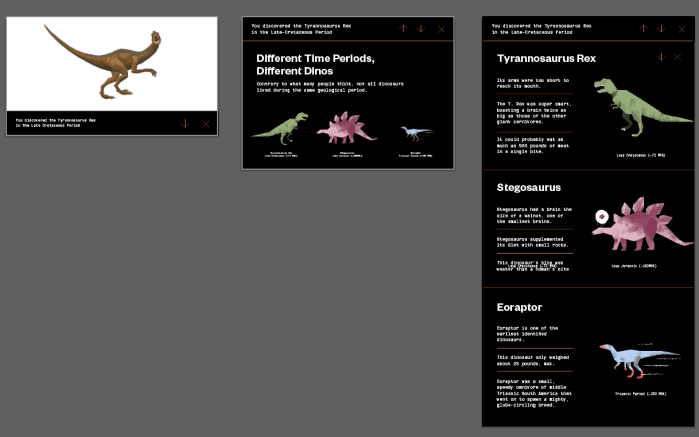
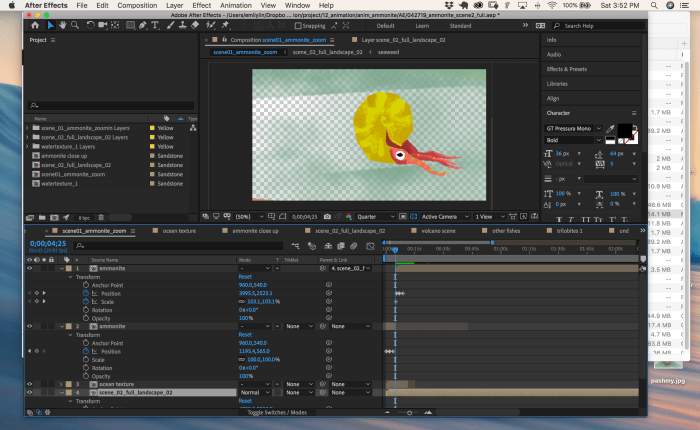
Here are some process shots of the design and animation process.
A note: to get the file size to be smaller but still having the alpha channel. Bring the mov file into premiere and render it as Apple Pro res 4444.
More to come! Everything is moving so fast that it is hard to blog all the progress for this. But at the end I will do one big documentation post.
A lot to do on this front! There were hiccups with the sensor, but determined to get data logging for the air quality asap! CCS811 is here so I hooked up the MKR1010 with the Gas sensor. Next step is to figure out data logging.
1.) “In your local shell, you can try PORT=12345 node index.js”(in your github page for this week’s resources). Can you explain local shell more? And what does this do?
2.) How do you do this step“Addvar { Client } = require(‘pg’) to your imports” in the postgres section? what imports? where do I find imports?
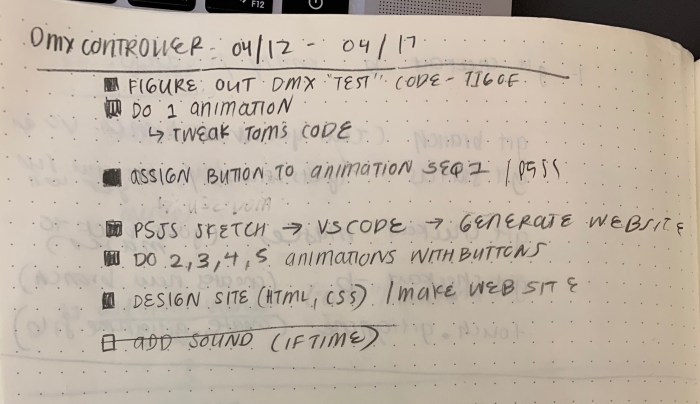
1.) Getting the DotzPar to work with the QLC+ GUI first. There was no problems with this.
—
2.) Using node to run a simple test code that has the DMX lights fade in and out.
—
3.) Running into issues again with the usb port not showing up even after installing the driver. The usb port often does not show up when I use the command line ‘ls /dev/cu.*’ or ‘ls /dev/tty.*’. This is becoming very frustrating and eventually had to work on a separate laptop.
Here was a link that was semi-helpful for trying to restart your laptop when serial port doesn’t show up in terminal/arduino:
1. Disk Utility, repair permissions.
2. Reset the PRAM. Shut down. press Command + Option+ P+ R then the Power Button. Hold down these buttons till the computer restarts the second time, then release.
3. For RFduino will need Arduino 1.5.6 to run. Consider the 1.5.7 Beta.
4. Install/Re-Install the FTDI software.
5. I decided to switch gears and instead of editing Tom’s slider code because I can’t completely understand what each line of code is doing, I am now using the ‘simpleTest.js’ code that fades white in and out. My plan is to add the sliders to this code.
First I tried to figure out how to fade r, g, b separately. Here is ‘R’ channel fading in and out:
—
6.) How to run html page off of node? I didn’t know, but then these tutorials helped me better understand node.
9.) Then, it became about communicating between the client and server. I went to office hours with Tom Igoe, which was (yet again) the best thing I could’ve done! We set up a very simple example of how communication between client and server is done with “httpGet”. The very helpful example lives: here
Here are some notes from the office hour.
—
10.) The rest of the time was spent trying to apply the simple example with my own code. A lot of the code was already in Tom’s DMX example; it was about trying to get it to work for me.
Some notes on my array for the cues and array for the button.
JS side:
Function set channel: gets info (channel, level) > sets into variables “channel” “level” > based on only channel variable > it will run if statement > if button condition satisfies the if statement > run cue sequence / if channel is 4 then turn off lights
Here is the code for the above description
JS Side:
Check location of mousePressed > if within boundary of button + color of the box is the same as the background > send a message to the server with "httpGET" (which is in the function checkLocation())

//----------------------------------------------------
// from Tom's simpleBoardServer.js example
//----------------------------------------------------
function setChannel(request, response) {
  console.log('got a request. channel: ' + request.params.channel
  + ' level: ' + request.params.level);
  var channel = request.params.channel;
  var level = request.params.level;
  // set channel (most DMX systems are 1-indexed, but this library is 0-indexed):
  // universe.update({[channel-1]:level});
  if (channel <= 3){
    cue_lib[channel].run(universe,blackout());

  } else if (channel == 4) {
    blackout();
  }
  response.end('set ' + channel + ' to ' + level);
}
p5js Side:
Check location of mousePressed > if within boundary of button + color of box is same as background > send a message to the server using format of “httpGet (‘/set/’ + channel + level + function)”
// function checks the location of mouse within the bounds of the box / button

function checkLocation(xloc, yloc, j) {

  //check to see if mouse is over that quadrant

  if ((mouseX > xloc) && (mouseX < xloc + btn_width) &&
    (mouseY > yloc) && (mouseY < yloc + btn_height)) {
    console.log(col_arr_0[j]);

    let comp_test = arr_comp(col_arr_0[j], col_arr[j]);
    console.log(comp_test);

     //if mouse is over quadrant and it is white, then go through color array
      //compares 2 arrays, if box color turns to color send an animation command
      //if box turns white from color then send a command to stop

      if (comp_test == false) {
        col_arr_0[j] = col_arr[j];
        httpGet('/set/'+ j + '/'+ j, foo("Turn On!"));

      } else {

        col_arr_0[j] = [0, 0, 0];
        httpGet('/set/'+ 4 + '/'+ 4, foo("Turn Off!"));
      }
    }
  }
—
11.) Last was just trying to get the css side up to snuff. I wanted to make the site responsive to the window width. This turned out to be harder than expected but ended up being able to do so with:
*** As always, biggest thank you to Professor Tom for being patient and so helpful. If I didn’t ask him about the code and communication between client and server, I would not have it working.
git branch  (tells you what branch you are on)
git status (gets status/tells you where you are)
git checkout master (goes back to master)
git checkout -b (creates new branch)
touch.gitignore (create .gitignore file)
touch "filename" (creates a new file)


Steps for creating branch:
1. git branch fileName
2. git checkout (like cd for branches)
3. git add .
4. git commit (push locally)
5. git push (push to github)
heroku takes our packages –> hosts at new url for us
git push heroku master
heroku logs -t

heroku needs below code in js file:
"var port = process.env.PORT || 8000;"
SQL Notes:
SQL stores database for you. SQL Database is a set of tables, like a spreadsheet.
Different SQL datatypes: numbers, strings, binary data (just use text field)
Connect to database, define fields
Talk to it through node. Need to install database client library
One database per project
psql connects: a terminal-based front-end to PostgreSQL. It enables you to type in queries interactively, issue them to PostgreSQL, and see the query results. Alternatively, input can be from a file or from command line arguments.
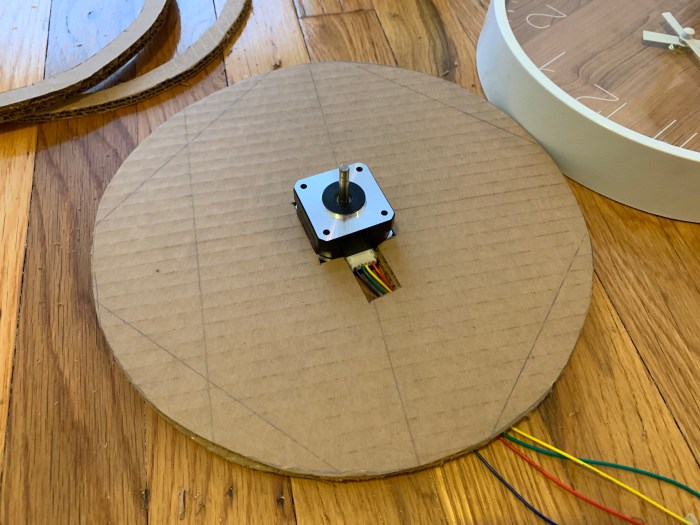
This is a 24 hour LED clock that will display the amount of CO2 every hour. Using an air quality sensor, I plan to track the amount of CO2 in the unit of parts per million (ppm) in my local surroundings (home and school) and visualize that data in the form of a light clock. Similar to my prior “Energy” project, I will have the air quality sensor in the same enclosure with a solar panel, which will be placed near a window. The solar panel will provide energy to power the sensor.
In addition, I hope to relate this data collected to the broader picture of global warming. The specifics of how to do that are still not determined.
Rough Sketch: details still being worked out
Determining which sensor to use:
After talking with Jeff, I have decided to try out the Adafruit SGP30 Air Quality Sensor Breakout. We came to this conclusion based on both the price and the eCO2 ppm (parts per million) range.
Interesting to compare the measurements of global CO2 (ppm/ppb) with the data I receive myself. Will the data from sensor track closely to the global aggregate?
Make a comparison of data from API with data from my own sensor
Read “Inhabitable Earth” by David Wallace Wells
Listen to vox podcast with David Wallace Wells.
Is there any way to create a sense of panic based on the data I provide
Firey or smog-like visual
How to connect the CO2 data with a broader concept of global warming
03/27/19, 2pm Museum of the City of New York, East Harlem
The lobby space inside the Museum of the City of New York shines with elegance with its grecian columns, marble floors and victorian stairs. The light plays a central role to the feeling of awe when walking into the space. The light shines in a downward angle from the 2nd story windows. At 2pm in the afternoon the sun must be directly above the building, but the light shining from the east is still illuminating the interior. And the marble spiral staircase becomes decorated with these stripes of light and dark.
Light bounces off the iron stairwell with the brass (?) edging well thus creating these sharp highlights. Whereas the light looks soft and edgeless when cast on the marble flooring. The light shows off the distinct materials used in the interior. For example, the black paint on the bottom of the column reflects light differently than shiny surface of the white column. The central column also shows the stark difference between the interior light, which is shone on the top of the column, and the natural light that is illuminating the bottom half of the column. Interior lighting creates a yellowish tint compared to the beautiful whiteness of sunlight.
The website is deployed using Netlify: pingu.netlfiy.com
(still need need to make it responsive though)
—
Part 2
Write a command-line JavaScript program that takes a URL as a command-line argument, makes a request to that host, and prints the HTML response.
Write a command-line JavaScript program that generates a valid HTML document, writing it to a file. Try to include randomness or some other external source of data.
Write a command-line JavaScript program that reads a plain text file and generates an HTML page based on its contents. For example, consider each line in the text file to be a headline, and generate a mock newspaper homepage.
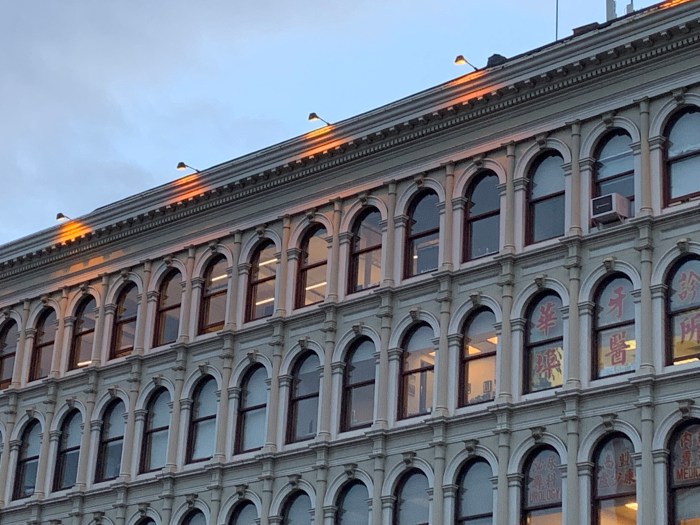
Friday, 3/15/19, 6:51pm Canal St, E Houston St – New York
The exterior of this historical building is accentuated by the soft, warm yellow glow that are cast from these industrial LED (most likely) lights that hang at the top of the roof. The lights are placed evenly along the side of the building, matching well with the rhythmic, staccato-like placements of the windows. When the light is further away from the source it makes this soft pink on the surface of the building front. I remember this day being very cold and overcast with clouds. At this particular hour, the sun is in the process of setting. With the cold blue of the sky, the warm light illuminated from these floodlights are accentuated.






 Emily Lin